 NoteMee
A note app you'll actually
open tomorrow.
Most note apps die on your home screen after week two. NoteMee keeps you coming back: one tap for today's daily note, ⌘. for distraction-free focus mode, and a calendar that shows what's actually due.
Free forever, no card required. Paid plans from £4.99/mo with a 7-day trial.
Run NoteMee from Claude
Just talk to Claude — in Claude Desktop or claude.ai — and it gets the work done inside your NoteMee. Notes, tasks, projects, lists: all of it, hands-free.
- Connect once with the MCP connector — no extensions, no copy-paste.
- Ask in plain English; Claude creates, schedules and ticks things off for you.
- Everything syncs straight to your real workspace — instantly.
Everything you need. Nothing you don't.
Every feature listed here ships today. No "coming soon."
Daily notes, one tap away
Open the calendar, tap a day, get a prefilled note for today. Custom template in Settings so your morning ritual takes 5 seconds — not 5 minutes of setup.
Focus mode — ⌘.
One keystroke hides the sidebar, the chrome, the notifications. Just you and the page. Press ⌘. or Esc to come back.
A calendar that actually knows what's due
Month, week, or list view. Drag a task to reschedule it. Quick-add new tasks right where they should live. Tasks and notes on the same canvas.
Mentions & backlinks, without the maze
Type @ to link any note, task, or project inline. Each item shows what else mentions it — your knowledge graph builds itself as you work.
Collaborate when you need to
Share a note or task list with one click. Live cursors, public read-only links, proper permissions. CRDT-backed so offline edits merge cleanly.
Fast, markdown-native, yours
Plain markdown under the hood. Full-text search. Export everything to Markdown, PDF, or JSON in a click. No lock-in, ever.
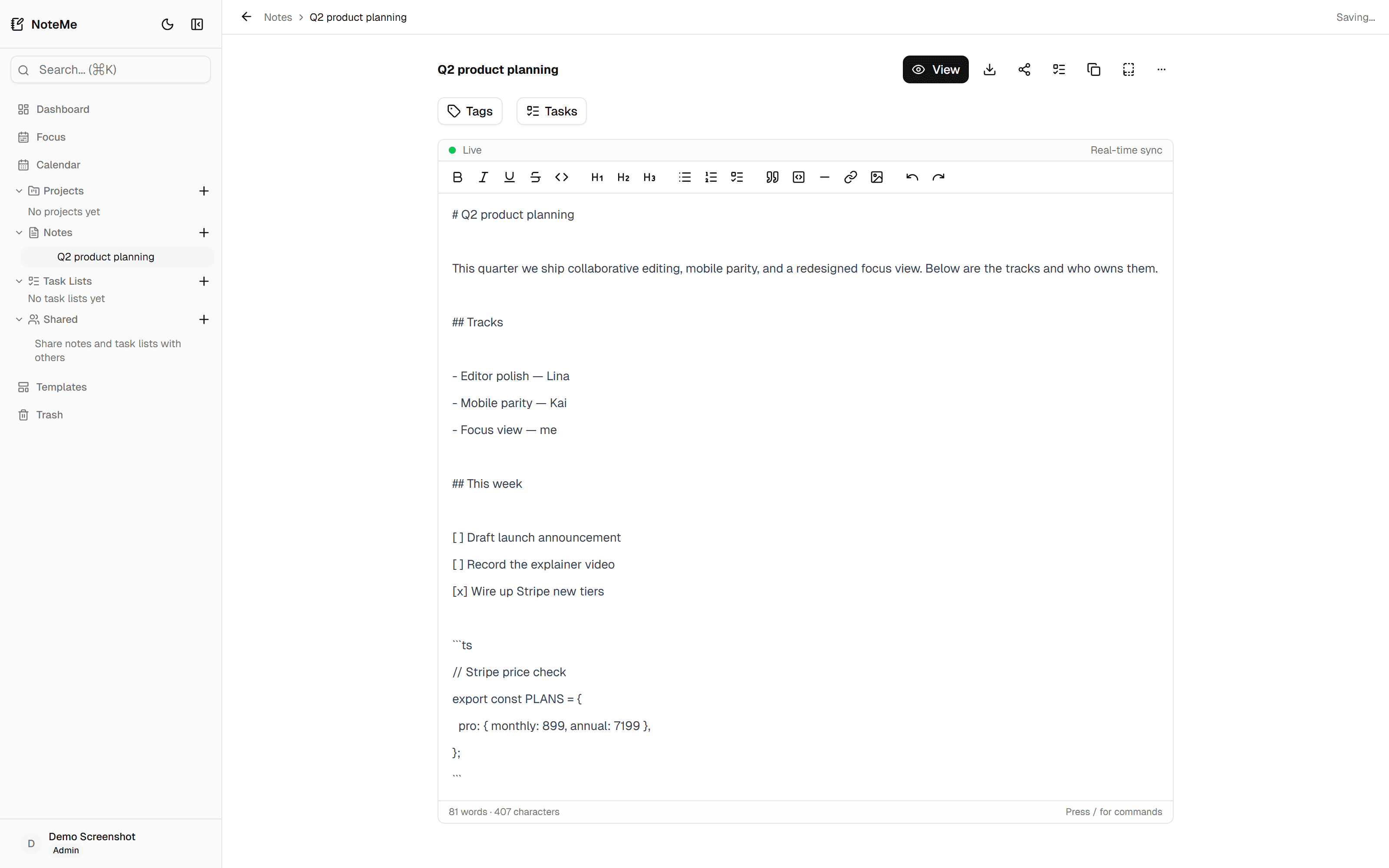
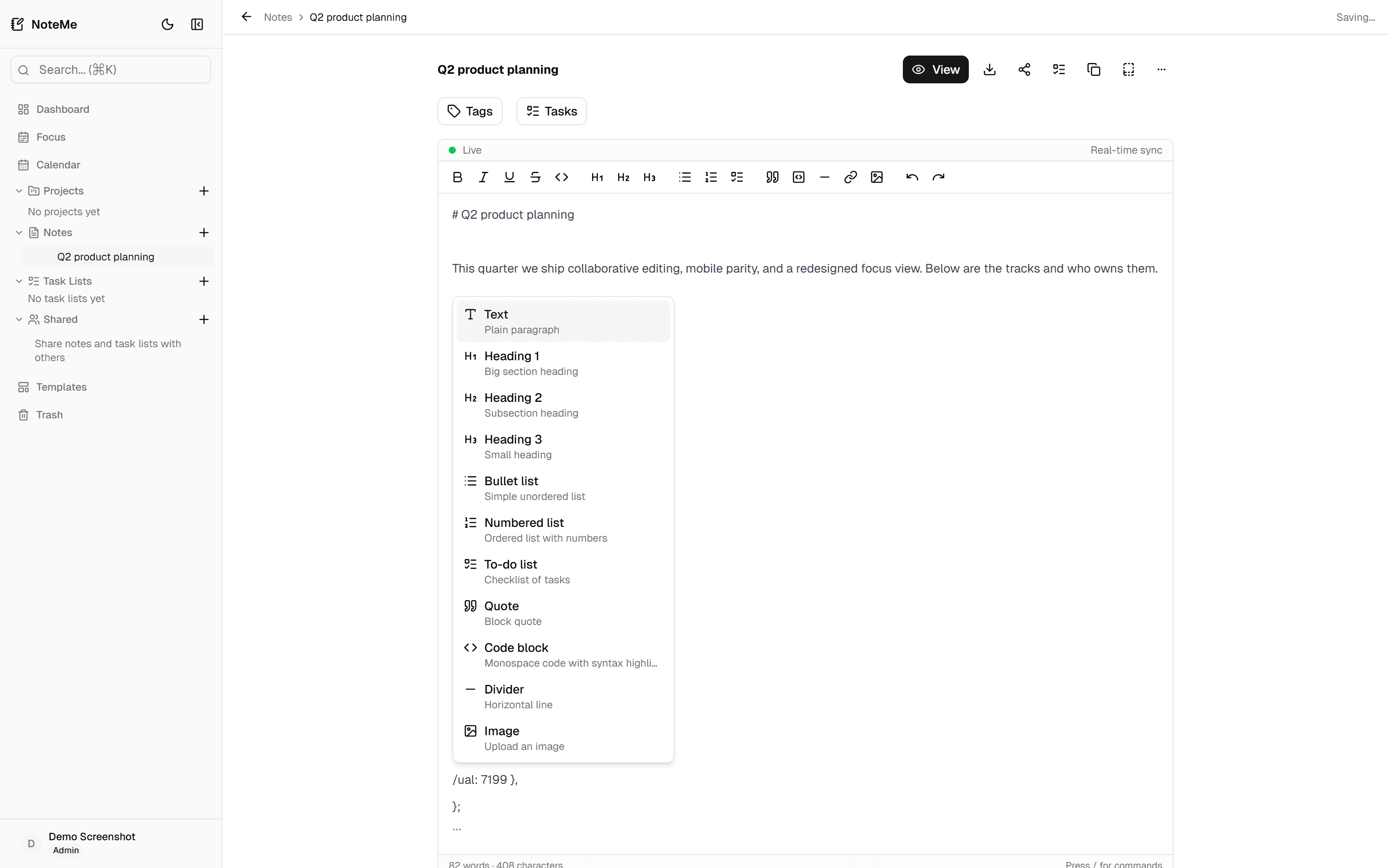
Type. Press /. Keep writing.
Slash commands for every block. Mentions with @ to link the rest of your workspace. Cmd+F finds inside the document. No context-switching, no mouse-hunting.
- /heading /todo /code /table /image — inline
- @task-name — link anywhere, see backlinks on the other side
- Cmd+F / Cmd+K for find-in-note and global search
- Drag-reorder lists, tasks, and subtasks
Compared, honestly.
Every note app makes trade-offs. Here are ours, next to the alternatives.
| Feature | NoteMee | Notion | Apple Notes | Obsidian |
|---|---|---|---|---|
| Price (entry tier) | £0 free, £4.99/mo paid | $10/mo ($12 monthly) — no free for personal | Free with device | Free, $5/mo sync |
| Real-time collaboration | Sync only (no live cursors) | |||
| Tasks & subtasks | via database | Checkboxes only | Plugin | |
| Backlinks + @mentions | ||||
| Public shareable links | Paid add-on | |||
| Works offline | Limited | |||
| Own your export (JSON) | Markdown only |
Competitor pricing and feature notes as of April 2026, cross-checked from each vendor's public pricing page.
Free forever. Pro when you want more.
Start on Free with unlimited notes. Upgrade when you need more space or collaboration.
- Up to 10 notes
- 3 task lists and 3 projects
- Daily notes + calendar view
- Full editor with slash commands, @mentions, backlinks
- Markdown export
- Dark mode + full-text search
- 20 MB image storage
- 7-day trash recovery
Not in Free
- Focus mode
- Real-time collaboration + sharing
- PDF & DOCX export
- AI task extraction
- Version history
- Priority support
Billed as £39.99 annually — Save 33%
- Unlimited notes, task lists, projects
- Everything in Free, with no caps
- Focus mode (⌘.)
- Real-time collaboration with live cursors
- Share notes with anyone — view or edit
- Public share links
- PDF, DOCX & JSON export
- AI task extraction
- Version history
- Unlimited image storage
- 30-day trash recovery
- Priority email support
Billed as £99 annually — Save 17%
- Everything in Pro
- Built-in AI assistant (⌘M)
- 1,000 AI actions / month
- Plan your day, turn notes into tasks
- Ask anything about your notes & tasks
- Connect your Notemee to Claude / ChatGPT
Pro includes a 7-day free trial. Cancel anytime. VAT added where applicable.
Your second brain, ready in 10 seconds.
Sign up with email or Google. No card. No tutorial-gate. Just a blank first note and a cursor.